

Businesses that depend on uptime, host multiple simultaneous users, or need contractual performance guarantees should choose business internet over residential service. The reasons come down to three features residential plans rarely offer: consistent speeds during business hours, service level agreements (SLAs) with repair commitments, and symmetric upload speeds for cloud tools and video calls. A solo contractor who checks email and joins the occasional video call, though, can usually stick with a well-configured residential plan.
TL;DR:
- Business internet typically offers symmetric upload and download speeds, higher reliability, and service level agreements, unlike most residential plans.
- Static IP addresses and priority support are standard features in business plans, which are rarely available or reliable on residential services.
- Conduct thorough speed, latency, and packet loss tests during peak and off-peak hours to verify actual performance before upgrading.
- Upgrading makes sense only if downtime costs exceed the premium, especially for businesses with critical customer transactions or regulated data.
- Many residential issues can be fixed with wired connections and better routers, potentially avoiding the need for costly business internet plans.
Table of Contents
- Business Internet vs. Residential: A Quick Comparison
- The Technical and Commercial Differences That Actually Matter
- Which Business Profiles Actually Need an Upgrade?
- What to Ask Before You Sign a Business Internet Contract
- Test Your Current Connection Before You Decide
- The Bottom Line on Choosing Between the Two
- Why I'd Hold Off on Upgrading Longer Than You Think
- Let Internet-Analysis Prove the Case Before You Pay More
- Sources
Business Internet vs. Residential: A Quick Comparison
The two categories overlap more than most people expect on raw speed, but they diverge sharply on the fine print. Business plans differ from residential ones mainly in SLAs, dedicated access options, symmetric upload availability, static IPs, and priority support, not necessarily in top-line Mbps numbers.
- Price: Residential plans often start around $30 to $70 a month with promotional pricing; business plans typically start higher, often $60 to $150+, because of added features like static IPs and SLAs.
- Speed symmetry: Residential connections are usually asymmetric (fast download, slow upload); business fiber plans frequently offer matched upload and download speeds.
- SLA: Business plans commonly include uptime guarantees and repair windows; residential plans generally have none.
- Static IP: Available as a standard or add-on feature on most business tiers; rarely offered, or offered informally, on residential service.
- Support: Business customers typically get priority phone lines and sometimes onsite technicians; residential support usually means a shared queue.
- Contract terms: Business contracts often run 1 to 3 years with early termination fees; residential plans tend to be month-to-month or short-term.
Technology availability cuts across both categories. Fiber, cable, 5G fixed wireless, and even satellite can carry either a residential or business product, so your ZIP code often decides your realistic options before plan class does.
The Technical and Commercial Differences That Actually Matter
Marketing pages love to talk about speed. The differences that actually affect your daily operations sit one layer deeper.
-
Symmetric vs. asymmetric speeds. A residential cable plan advertising 300 Mbps down might deliver only 10 to 20 Mbps up. That gap becomes a real problem for cloud backups, multi-line VoIP, and video calls, all of which depend on upload capacity. Fiber's high upload symmetry can eliminate the peak-hour struggles that asymmetric residential plans run into when everyone in the house or office is online at once. If your team regularly pushes large files to cloud storage or hosts video meetings, check our video call bandwidth guide for the upload thresholds that actually matter.
-
Dedicated access vs. shared contention. Most residential connections share bandwidth with neighbors on the same node, which is why speeds can sag in the evening when everyone streams at once. Dedicated internet access (DIA), a business-only option, gives you a private circuit with no contention. It costs more, but it performs the same at 9 a.m. and 9 p.m.
-
SLA elements that reduce risk. A typical business SLA specifies an uptime percentage (often 99.9% or higher), a repair time window (commonly 4 to 24 hours), and service credits if the provider misses either target. Residential plans almost never include any of this, which means an outage is your problem to absorb, not the provider's obligation to fix on a clock.
-
Static vs. dynamic IPs. Residential service typically assigns a dynamic IP that changes periodically. Business plans usually offer a static IP, either included or as an add-on, which matters if you run a VPN, host a server, need remote access to office equipment, or use point-of-sale systems that expect a consistent address.
-
Support and contract terms. Business customers generally get a dedicated or priority support line, sometimes with 24/7 coverage and onsite dispatch. Residential support is usually a general queue with longer hold times. Business contracts often lock you in for one to three years with early termination fees, while residential service tends to be flexible month-to-month.
-
Technology types. Fiber offers the best combination of symmetry and reliability where it's available. Cable is widely available and fast for downloads but often asymmetric. 5G fixed wireless and DSL fill gaps in coverage but can be less consistent. Satellite remains a fallback for rural areas with higher latency. Our broadband technology overview breaks down what each type supports.
Which Business Profiles Actually Need an Upgrade?
Not every small business needs to pay a premium for business-grade service. The decision usually comes down to how much an hour of downtime actually costs you.
Profiles that usually need business internet:
- Retail or restaurant operations running point-of-sale systems that can't process payments offline
- Offices using hosted VoIP phone systems for client calls
- Teams of five or more employees relying on the same connection simultaneously
- Businesses handling regulated data (health records, financial data) with compliance requirements
- Any location offering public Wi-Fi to customers alongside internal business traffic
Profiles where residential often suffices:
- Solo contractors or freelancers with occasional video calls and email
- Home offices with flexible schedules where a brief outage isn't costly
- Side businesses that don't depend on real-time customer transactions
A simple math check helps here. If business-grade service costs $50 more per month than residential, and even one hour of downtime costs you $200 in lost sales or missed appointments, the upgrade pays for itself the first time your connection drops during business hours. If an outage just means rescheduling a call, the calculus flips.
What to Ask Before You Sign a Business Internet Contract
Providers advertise speed. They rarely volunteer the details that determine whether a plan will actually hold up.
Ask for the SLA in writing, not just verbally, and confirm three specifics: the guaranteed uptime percentage, the repair time window, and the exact process for claiming service credits if they miss it. Also ask who handles escalation if a ticket isn't resolved on the first call.
- Request the guaranteed uptime percentage and repair time commitment in writing
- Confirm whether upload speed is symmetric or asymmetric under real conditions, not just advertised specs
- Ask whether a static IP is included or billed as an add-on
- Check for data caps, burst-speed behavior, and backup link options like 4G/5G failover
- Clarify installation responsibilities, contract length, early termination fees, and equipment rental costs
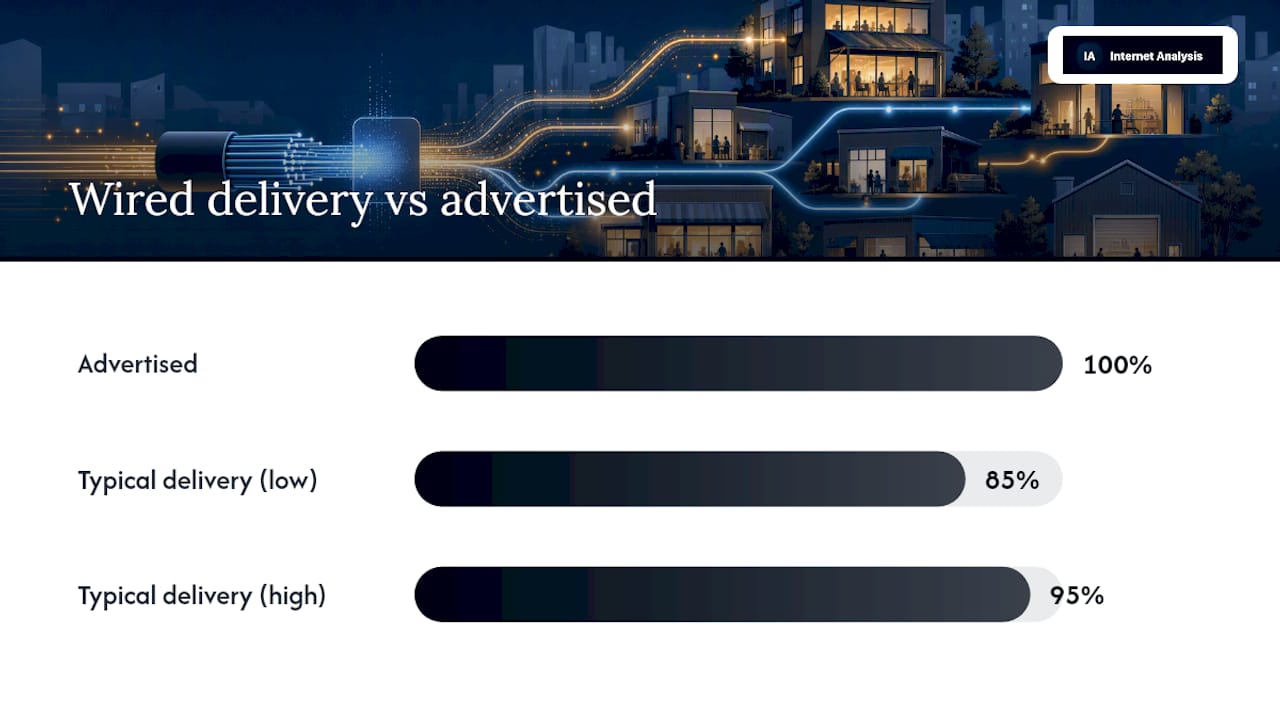
On raw speed, run wired tests rather than relying on advertised numbers. Wired connections typically deliver 85% to 95% of the advertised download speed; anything meaningfully lower is worth flagging.
Pro Tip: Save every speed test result with a timestamp before you call your ISP. A single test can be dismissed as a fluke. A week of logged results at different hours is evidence a provider can't easily argue against.
Test Your Current Connection Before You Decide
You don't need a new contract to know whether your current connection is the actual problem. Run diagnostics first.
- Test speed at multiple times, including peak business hours (10 a.m. to 2 p.m.) and off-hours, to spot contention patterns.
- Measure latency, jitter, and packet loss, not just download speed.
- Run a traceroute during a slow period to see where delays originate.
Keeping packet loss under 1% and jitter under 30ms is the practical threshold for clean VoIP calls and reliable point-of-sale transactions; anything higher, especially if it repeats at the same time daily, points to a real capacity problem rather than a one-off glitch. Log the date, time, and result of each test before contacting support.
The Bottom Line on Choosing Between the Two
If your business depends on consistent uptime, multiple simultaneous users, or contractual guarantees, business internet is worth the premium. If your usage is light and occasional downtime is tolerable, residential service remains a reasonable choice. Either way, test before you switch. Run a speed test and check your video call bandwidth needs to confirm what you're actually working with.
Why I'd Hold Off on Upgrading Longer Than You Think
Business internet is the right call for plenty of operations, but I've seen too many home offices upgrade before trying the cheap fixes first. Switch to a wired connection instead of Wi-Fi, buy a better router, and schedule big uploads for off-hours. Those three changes solve more residential complaints than a $60 monthly premium ever will. Weigh the actual cost of an outage against that premium before you sign anything.
— Tomasz
Let Internet-Analysis Prove the Case Before You Pay More
You can gather evidence such as real speed, latency, packet loss, and traceroute data from your own connection, tested against a global measurement network rather than a single provider's marketing claims.
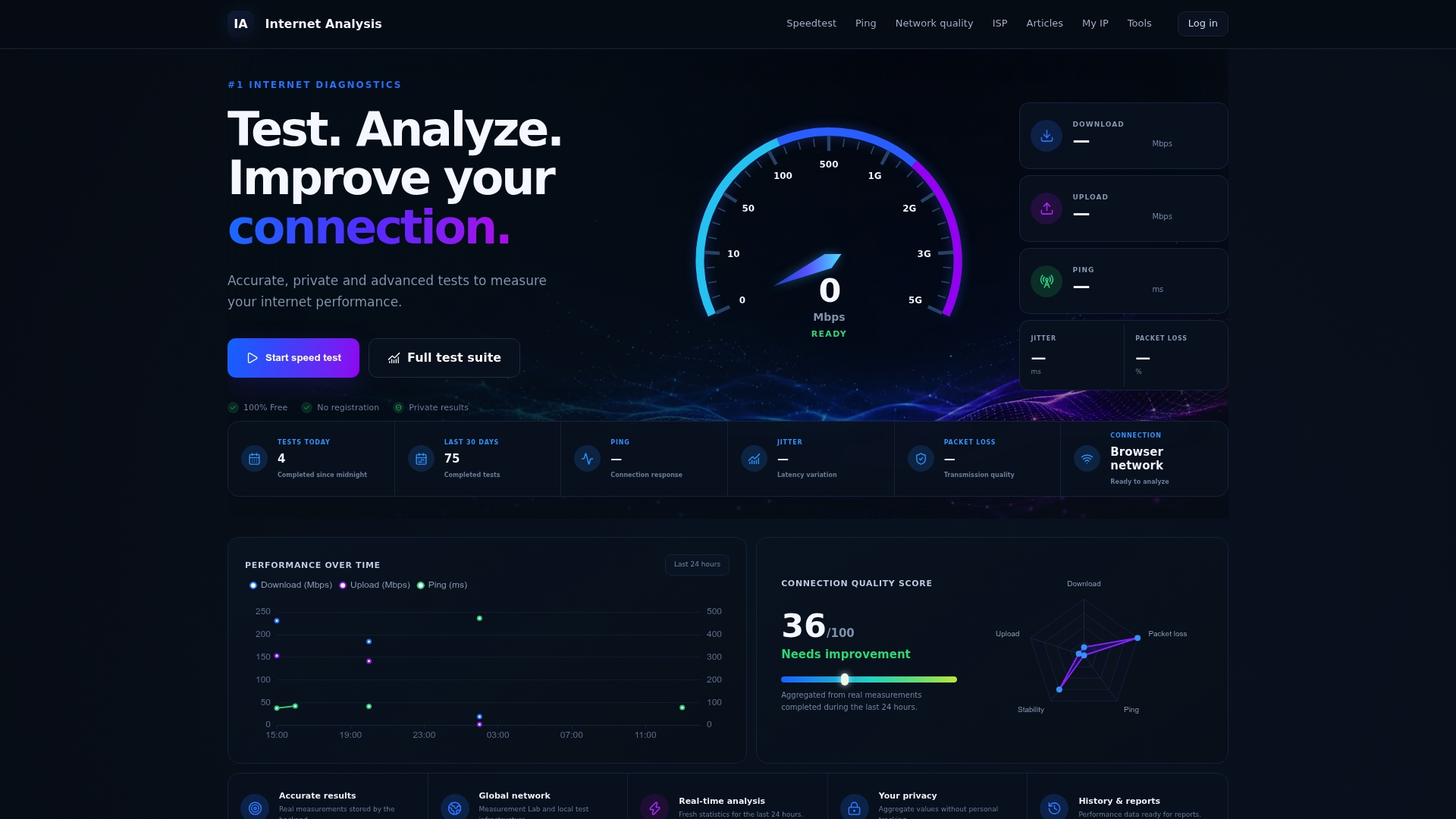
Run repeated tests across a few business days, not just once, and save the timestamped results. If your download speed consistently lands well under what you're paying for, or packet loss spikes every afternoon, you'll walk into a provider conversation with proof instead of a hunch. Start with a full speed and network quality check, then dig into ping and latency if VoIP or video calls are the pain point. Businesses juggling security concerns alongside connectivity should also look at endpoint protection basics before finalizing any network overhaul. Run your first test now and see exactly what your connection is actually delivering.
Sources
- Business internet vs residential internet | AT&T Business
- Residential vs. Business Internet: A guide for small business | Allconnect
- Residential vs. Business Internet | BroadbandNow