
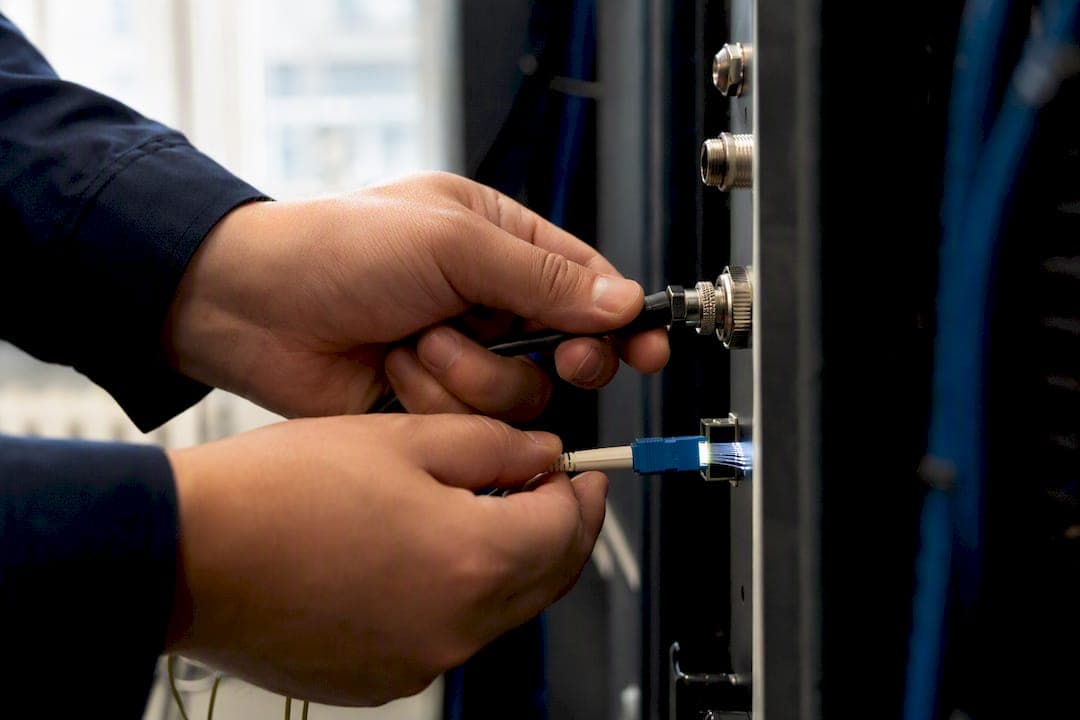
Fiber wins on raw performance almost every time: faster uploads, lower latency, and more consistent speeds during peak hours. Cable still makes sense if fiber isn't available at your address, if you're on a tight budget, or if your household does light browsing and standard-definition streaming rather than cloud work, video calls, or competitive gaming.
TL;DR:
- Fiber offers significantly lower latency, symmetrical upload and download speeds, and better performance over longer distances compared to cable internet.
- Cable's shared infrastructure leads to peak-hour congestion and variable latency, especially during evening usage, whereas fiber's dedicated lines maintain consistent speeds.
- Installation of fiber can take longer and be more costly, particularly in rural areas, but the ongoing monthly prices tend to be higher than cable plans for comparable speeds.
- For households with light usage, streaming, and browsing, cable generally suffices, while heavy upload needs and real-time applications benefit more from fiber's capabilities.
- Testing your actual connection speed, latency, and packet loss before choosing is crucial, as provider advertised speeds often do not reflect real-world performance.
Table of Contents
- What Is the Real Difference Between Cable and Fiber Internet?
- What Are the Pros and Cons of Cable vs Fiber?
- How Much Faster Is Fiber Than Cable in Practice?
- Where Is Fiber Available, and What Does It Actually Cost?
- How Do You Choose Between Cable and Fiber?
- Which Use Cases Actually Need Fiber?
- How Should You Test and Compare Your Own Connection?
- What Should You Do Next?
- Does Your Choice of Cable or Fiber Affect Your Privacy and Security?
- Is Fiber Really Worth the Hype, or Just the Upsell?
- Sources
What Is the Real Difference Between Cable and Fiber Internet?
The gap between cable vs fiber internet comes down to what's physically carrying your data. Cable internet runs over coaxial cable, the same copper-shielded wiring that once delivered your television signal. It carries data as electrical signals over radio frequencies. Fiber-optic internet sends data as pulses of light through strands of glass or plastic barely thicker than a human hair. That distinction sounds academic until you look at what it does to speed, distance, and reliability.
Cable networks run on a standard called DOCSIS (Data Over Cable Service Interface Specification), currently in its 3.1 and 4.0 iterations. DOCSIS was engineered to squeeze internet service out of infrastructure originally built for one-way television broadcasts, and it shows. Most residential neighborhoods share a single coaxial trunk line among dozens or even hundreds of homes. When your neighbors stream in 4K after dinner, you're all drawing from the same finite pipe.
Fiber-optic networks, particularly true fiber-to-the-premises (FTTP) deployments, give each home or business its own dedicated strand of glass running back to the provider's local hub. There's no shared bottleneck at the neighborhood level in the way DOCSIS creates one. That architecture is also why fiber tolerates distance so much better. Light signals in glass degrade far more slowly than electrical signals in copper, which means fiber providers can push higher speeds over longer runs without expensive signal boosters.
The equipment in your home reflects these underlying differences:
- Cable setup: A cable modem terminates the coaxial signal and converts it into data your router can use, often combined into a single modem-router unit.
- Fiber setup: An optical network terminal (ONT) converts light pulses into an electrical signal your router understands, typically mounted near where the fiber line enters the building.
- Interference exposure: Coaxial cable is vulnerable to electromagnetic interference from nearby electronics and even severe weather affecting above-ground lines; fiber-optic glass is immune to electromagnetic interference entirely.
- Distance behavior: Cable signal quality degrades noticeably over longer stretches of copper wiring; fiber signal quality holds steady over far greater distances.
None of this means cable is obsolete. DOCSIS 4.0 deployments are narrowing the speed gap on paper. But the shared-medium design and copper's physical limits are baked into the technology, not a temporary rollout issue that upgrades will fully erase.
What Are the Pros and Cons of Cable vs Fiber?
Neither technology is universally right, and the honest answer depends on what you're weighing: cost, availability, or raw capability.
Cable's real advantages:
- Broader availability, especially in suburban and urban areas where coaxial infrastructure has existed for decades.
- Lower installation friction. Many homes already have a coaxial jack, so setup can happen the same day.
- Frequent bundling with TV and phone service, which can lower the effective monthly cost for households that want those extras anyway.
Cable's real drawbacks:
- Asymmetrical speeds. Upload speeds typically run far below download speeds, sometimes by a factor of ten or more.
- Peak-hour congestion. Shared neighborhood bandwidth under DOCSIS can cause noticeable slowdowns when usage spikes in the early evening.
- Higher jitter and latency variability compared to fiber, particularly on older DOCSIS 3.0 networks.
Fiber's case is more straightforward but not without friction. Fiber pros and cons split cleanly: symmetrical upload and download speeds, latency low enough that real-time applications barely notice network load, and an architecture that scales toward higher speeds without a full infrastructure overhaul. The insight worth remembering here is that fiber's advantage is fundamentally future-proofing: as household bandwidth demands climb, fiber networks absorb that growth more gracefully than cable ever will.
The downsides are real too. Fiber still has coverage gaps, particularly in rural areas. Installation can take longer if a fiber line has to be run to your building for the first time. And the ONT in your home typically needs external power, meaning a home power outage can take your internet down even when the fiber line itself is intact, unless you've got a battery backup on the unit.

Pro Tip: If you lose internet during power outages now, ask your fiber provider whether the ONT includes a battery backup option; some do, and it can be the deciding factor for households that rely on landline-replacement VoIP service.
How Much Faster Is Fiber Than Cable in Practice?
The theoretical speed ceilings tell only part of the story. Cable plans commonly advertise download speeds from 100 Mbps up to 1 Gbps, with upload speeds on cable are typically much lower than download speeds, often substantially capped compared to fiber regardless of how fast your download tier is. Fiber plans frequently offer symmetrical speeds, meaning a 500 Mbps plan gives you 500 Mbps in both directions, and multi-gigabit symmetrical fiber tiers are increasingly common in serviceable areas.
That upload gap is the detail most people underestimate. Upload symmetry is a decisive factor for anyone doing cloud backups, live streaming, or large video file transfers. A cable connection advertising fast downloads can still bottleneck hard the moment you try to push a large file upstream while someone else in the house is on a video call.
Latency and jitter matter just as much as raw throughput, especially for anything real-time. Latency is the round-trip delay between your device and a server; jitter is how much that delay fluctuates test to test. Cable connections typically post latency in the 15 to 35 millisecond range under good conditions, but jitter can spike noticeably during congested periods. Fiber connections tend to hold latency in the single digits to low teens, with far tighter jitter consistency because there's no shared coaxial segment to contend with.
Fiber's low latency and stability show up most clearly in cloud collaboration and real-time professional use, while casual browsing and email often reveal almost no perceptible difference between the two technologies.
Here's where that congestion problem becomes concrete. Cable's shared-neighborhood design means your actual throughput can dip during peak hours, typically 7 to 10 PM on weeknights, even if your plan's advertised speed doesn't change. Fiber's dedicated-strand architecture means your capacity doesn't fluctuate based on what your neighbors are doing.
What this means for common activities:
- Web browsing and email: Negligible difference between cable and fiber for most users.
- HD or 4K streaming, single stream: Both handle this comfortably on mid-tier plans from either technology.
- Video conferencing: Fiber's lower jitter reduces the choppy audio and frozen-frame issues that show up on congested cable connections during peak hours.
- Cloud backups and large uploads: Cable's upload cap is the main constraint here; fiber's symmetrical speeds remove it.
- Competitive online gaming: Fiber's lower and more consistent latency reduces input lag, though a well-provisioned cable connection during off-peak hours is often adequate too.
If your household's heaviest activity is streaming one show at a time and browsing social media, you may genuinely not notice a difference. If you're regularly on video calls while someone else uploads footage to the cloud, the difference becomes obvious fast.
Where Is Fiber Available, and What Does It Actually Cost?
Availability has shifted dramatically. Fiber-optic internet is rapidly expanding and reaches a majority of U.S. households (https://www.usatoday.com/story/tech/internet/fiber-internet-vs-cable-internet/85375553007/), a rollout pace that would have seemed optimistic a decade ago. That growth is concentrated in metro and suburban corridors where laying new fiber lines is economically justified by density.
Rural and underserved communities tell a different story. Coverage there still lags, and infrastructure assessments describe fiber as the long-term upgrade path for broadband even where current rollout hasn't caught up yet. Notably, advocacy groups report that rural and underserved communities themselves view fiber as the broadband investment they'd most want to see prioritized, even while waiting for it to arrive. Separately, broader access data shows many areas have only one or zero broadband provider options at all, meaning competitive choice between cable and fiber isn't guaranteed just because you have "broadband access" on paper.
Installation timelines differ meaningfully between the two:
- Cable installation: Often same-day or within a few days if the neighborhood already has coaxial infrastructure; a technician typically activates existing wiring or runs a short new drop.
- Fiber installation: Can take anywhere from a few days to several weeks if new fiber has to be trenched or strung to your building, though established fiber neighborhoods often see comparably fast turnaround.
On cost, expect wide regional variation, but general patterns hold. Cable plans generally offer lower starting monthly prices for mid-tier speeds, with installation fees frequently waived or reduced through promotions. Fiber plans generally have higher starting monthly prices for comparable speeds, but the value proposition shifts once you account for the included upload speed you'd otherwise pay a premium for on cable.
Watch the promotional pricing trap closely. Many providers, cable and fiber alike, advertise a low rate for the first 12 months that jumps considerably afterward. Read the contract for early termination fees, equipment rental charges that quietly add $10 to $15 monthly, and whether the "up to" speed on your plan reflects typical evening performance or a best-case lab number. If you're evaluating whether fiber has reached your specific address, checking fiber availability by ZIP code before you commit to a contract saves a lot of frustration.
For anyone planning a fiber install inside an older home, it's also worth planning the in-home wiring ahead of the technician's visit so your router placement and internal cabling can actually take advantage of the speeds you're paying for.
How Do You Choose Between Cable and Fiber?
Start with five questions about your own usage, not the provider's marketing page.
- How much upload speed do you actually need? If you back up large files, livestream, or work in video production, symmetrical upload matters more than a headline download number.
- How many people and devices use the connection simultaneously? More concurrent heavy users means congestion sensitivity matters more.
- How latency-sensitive is your primary use? Competitive gaming, video conferencing, and VoIP calls all suffer more from jitter than passive streaming does.
- What's your realistic monthly budget after the promotional period ends? Price the plan at its regular rate, not its first-year rate.
- Do you expect your bandwidth needs to grow? A household adding smart home devices, a second remote worker, or a gaming setup should weigh fiber's scalability more heavily.
When you're on the phone with a provider, ask direct questions rather than accepting a plan name at face value:
- "Is this true fiber-to-the-premises, or fiber-to-the-curb with a copper connection into my home?"
- "What's your average outage frequency or downtime in my specific area over the last year?"
- "Are there installation fees, and are they waived if I stay a minimum number of months?"
- "What happens to my rate after the promotional period, in writing?"
- "Is there an early termination fee, and how is it calculated if I cancel early?"
Red flags worth walking away from: a provider that won't disclose the post-promotional rate, a term calling itself "fiber-powered" or "fiber-backed" without confirming the actual last-mile connection type, and multi-year contracts with steep early termination penalties on a service you haven't tested yet.
Pro Tip: Ask specifically whether the plan is FTTP (fiber to the premises) or FTTN/FTTC (fiber to the node or curb, with copper for the final stretch). Sales reps sometimes use "fiber" loosely to describe hybrid networks that don't deliver true fiber performance.
Which Use Cases Actually Need Fiber?
A single-person household that streams one show at a time, browses, and checks email rarely needs fiber to feel satisfied. Mid-tier cable, run during off-peak hours, handles that workload without strain.
The calculus changes fast with more people or heavier workflows:
- Multi-user households with 4K streaming across several devices, gaming, and video calls simultaneously will feel cable's peak-hour congestion far more acutely, especially in larger households where several people compete for bandwidth at once, a scenario worth mapping against your specific device count.
- Small businesses running cloud-hosted software, VoIP phone systems, or regular video conferencing benefit directly from fiber's symmetrical upload and lower jitter, since these workflows depend on steady real-time data flow in both directions, a pattern common across cloud-based business services.
- Remote workers doing large file transfers or backups hit cable's upload ceiling regularly, even on otherwise fast download plans.
- Apartment and shared-building residents face a genuine edge case: fiber availability often depends on whether the building owner has approved wiring access, so even a fiber-served street doesn't guarantee an in-unit connection.
The rule of thumb: if your monthly bill difference between cable and fiber is under $15 and your household does any real-time or upload-heavy work, fiber usually justifies the premium. If the gap is wider or your usage is light, cable remains a defensible choice.
How Should You Test and Compare Your Own Connection?
Marketing numbers describe best-case conditions. Your actual experience depends on what you measure at your own address, and Internet-analysis's diagnostic suite is built to isolate exactly that. The tools measure download and upload throughput in Mbps, latency and jitter, packet loss, and traceroute hops between your device and the server, each pointing to a different failure mode if something's wrong.
Run tests wired via Ethernet rather than Wi-Fi whenever possible, since wireless interference can mask or exaggerate your true connection quality. Test at different times of day, particularly during evening peak hours, and take several samples rather than trusting one high result. Compare the median across those samples, not the best one.
| Metric | What it reveals |
|---|---|
| Download/upload Mbps | Raw throughput in each direction; exposes cable's upload asymmetry |
| Latency and jitter | Real-time responsiveness; critical for calls and gaming |
| Packet loss | Dropped data causing stutter or connection drops |
| Traceroute | Where along the path delays or failures originate |
Because results are aggregated anonymously without personal tracking, the network quality data reflects real-world conditions across millions of tests rather than a single lab benchmark, giving you a fairer baseline when you call a provider to negotiate or dispute a speed claim.
What Should You Do Next?
If your household or business does upload-heavy, latency-sensitive, or real-time work and fiber is available at your address, choose fiber. If fiber isn't there yet, or your usage is genuinely light, well-provisioned cable remains a sound, lower-cost choice.
Your next move is to gather your own data instead of relying on provider promises. Check whether fiber has actually reached your address, then run a full diagnostic test on your current connection to see where you stand right now on speed, latency, and packet loss. Compare that baseline against any new plan's advertised numbers, and factor in the full monthly cost after promotional pricing expires, not just the sign-up rate. That combination, real measurement plus honest cost comparison, beats guessing every time.
Does Your Choice of Cable or Fiber Affect Your Privacy and Security?
Yes, though the differences are more about network architecture than either technology being inherently unsafe. Cable's shared-medium design means your data travels across infrastructure used by many households in your area simultaneously. Modern DOCSIS encryption keeps that traffic separated from your neighbors in practice, but the shared physical medium is structurally different from fiber's dedicated point-to-point strand, which carries only your household's or business's traffic from the start.
Fiber's point-to-point architecture makes physical interception harder, since there's no shared coaxial segment to tap into within a neighborhood. That said, the security of your actual browsing depends far more on your router configuration, your use of encrypted connections (HTTPS, VPNs), and your provider's own data practices than on whether your last-mile connection is copper or glass.
Both cable and fiber providers can see metadata about your connection unless you're using a VPN, and both are equally capable of implementing strong or weak security practices on their end. The technology underneath your internet service is a smaller privacy factor than the provider's policies and your own network hygiene. If you're concerned about what your connection might be exposing, running a DNS performance and leak check is a practical way to verify your setup rather than assuming either cable or fiber handles this for you automatically.
Is Fiber Really Worth the Hype, or Just the Upsell?
The conventional advice on this topic tends to flatten into "fiber if you can get it, cable if you can't," and that's not wrong, but it skips the part that actually matters: matching the decision to real usage data instead of speed-tier marketing. Most people don't need fiber's ceiling. They need its upload symmetry and consistency, which are two specific properties, not a vague upgrade.
What's overrated is chasing the highest advertised download number. What's underrated is asking whether your current cable connection's upload speed and peak-hour jitter are already the actual bottleneck, something a proper diagnostic test reveals in minutes and a sales call never will. Test your real numbers first, at different times of day, before assuming either technology is the fix. The data usually tells you which problem you're actually solving, and it's rarely the one the provider's ad implied.
— Tomasz
Sources
- DSL vs. Cable vs. Fiber guide
- Infrastructure Report Card: Broadband (2025)
- Fiber Broadband Association: underserved rural Americans and fiber