

Pick a WiFi extender for one small dead zone on a tight budget. Pick a mesh system for whole-home coverage, multiple floors, or a house full of connected devices. Extenders cost less upfront but can cut into your usable bandwidth; mesh systems cost more but hold speed and connection quality across a larger area. Before buying either, run a baseline speed test so you know what you're actually fixing.
TL;DR:
- Extenders can worsen your WiFi by amplifying weak signals, especially if placed directly in dead zones or at the edge of router range.
- Mesh systems maintain speed and stability across multiple rooms or floors using wired backhaul or dedicated bands, providing seamless roaming without manual reconnects.
- In small apartments under 1,500 square feet, a high-powered router may outperform a mesh system on raw speed, making extenders suitable for isolated dead zones.
- Budget-friendly extenders cost $25 to $60 and fix single-room issues, while mesh systems for larger homes range from $100 to $400 with better multi-device handling.
- Upgrading to WiFi 6 benefits homes with many connected devices, but only improves performance if client devices support the standard.
Table of Contents
- Mesh WiFi vs Extender: How Each One Actually Works
- Performance Comparison: Speed, Latency, and Roaming
- Setup, Placement, and Common Installation Mistakes
- Cost, Scale, and Choosing the Right Option
- WiFi 6 and Compatibility: What You Need to Know
- How to Measure Whether the Upgrade Actually Worked
- Author Perspective: Three Rules That Cut Through the Marketing
- Test Your Setup With Internet Analysis Diagnostics
- Sources
Mesh WiFi vs Extender: How Each One Actually Works
The two technologies solve the same problem, weak signal in part of your house, through completely different mechanisms.
A WiFi extender is a repeater. It sits somewhere between your router and your dead zone, catches whatever signal reaches it, and rebroadcasts that signal at the same or reduced strength. Most extenders create a second network name, so your phone might connect to "HomeWiFi" in the living room and "HomeWiFi_EXT" in the bedroom, then have to manually switch back when you walk toward the router again. The extender's output is only ever as strong as what it receives, so if you place it somewhere the original signal is already patchy, you're just amplifying weakness. This is one of the most common installation mistakes homeowners make, and it's why extenders sometimes feel like they barely help at all.
Mesh systems work on a different model entirely. Instead of one router straining to cover an entire house, you deploy several nodes that communicate with each other and share a single network name. Devices roam between nodes automatically without you noticing a switch, because mesh WiFi eliminates the need to manually reconnect as you move through the home. The nodes talk to each other and to the internet through what's called backhaul, and how that backhaul is built matters a lot:
- Wireless backhaul uses part of the WiFi spectrum to relay data between nodes, which is easier to install but eats into available bandwidth.
- Wired backhaul connects nodes with Ethernet cable, preserving full speed and adding real stability, especially in larger homes.
- Dedicated backhaul band (common in tri-band mesh systems) sets aside a separate frequency just for node-to-node communication, so your devices aren't competing with that traffic.
Mesh systems are built for whole-home, seamless coverage using this node architecture, while extenders remain a cheaper, narrower fix aimed at one or two problem rooms.
Performance Comparison: Speed, Latency, and Roaming
This is where the difference between mesh vs extender actually shows up in daily use, not in spec sheets.
Extenders retransmit whatever signal they catch, and that retransmission process introduces overhead. On many older single-band extenders, the signal gets reduced by up to 50 percent after rebroadcasting, because the device has to listen and transmit on the same channel, splitting available airtime in half. A laptop streaming video near an extender might get a perfectly watchable connection; three devices trying to video call, stream, and browse at once through that same extender will start fighting each other for bandwidth.
Mesh systems avoid most of that penalty because dedicated backhaul channels keep client traffic separate from node-to-node traffic, so throughput holds up better as you move away from the main router. Roaming is the other big difference. With mesh, your phone or laptop hands off between nodes the same way a cell phone hands off between towers, no dropped connection, no manual network switch. With an extender, that handoff either doesn't happen automatically or causes a brief interruption while your device reconnects.
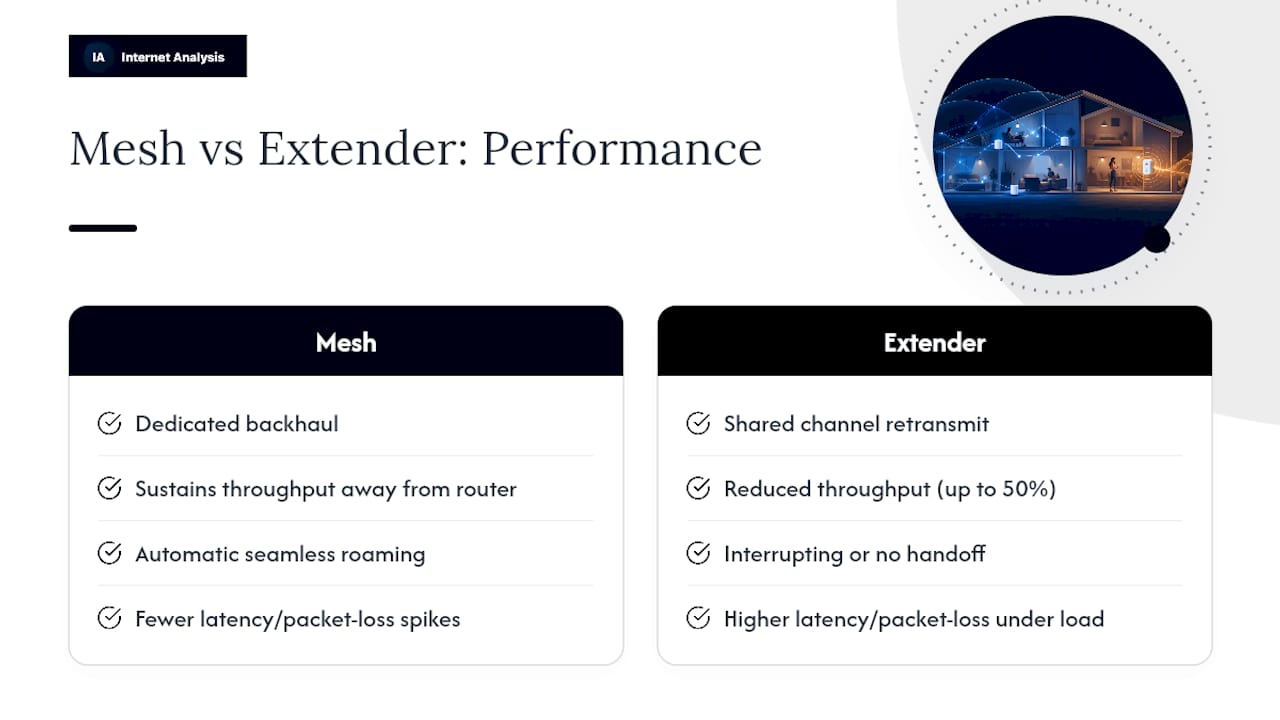
For gaming and VoIP calls, the metric that matters more than raw speed is consistency. Latency spikes and packet loss cause the stutter and lag you notice on a call or in a match, even when your download speed test looks fine. A congested extender connection is more prone to both, particularly under multiple simultaneous users.
None of this means mesh always wins. In a small apartment or single-floor home under about 1,500 square feet, a single high-powered router can outperform a mesh system on raw single-client throughput, since you're not paying the coordination overhead of multiple nodes at all. Independent testing consistently finds extenders are best suited to isolated dead zones, while mesh performs better in multi-room or multi-story homes with many connected devices.
Setup, Placement, and Common Installation Mistakes
Hardware choice matters less than placement. A mesh system installed badly can underperform a well-placed extender, and vice versa.
For an extender, the general rule is to position it roughly halfway between your router and the dead zone, somewhere it still receives two or three bars of signal. Placing it right at the edge of your router's range, or worse, inside the dead zone itself, means it has nothing strong to amplify. A poorly placed extender just rebroadcasts a weak, unreliable signal and delivers little real improvement, which is the single most common complaint about extenders.
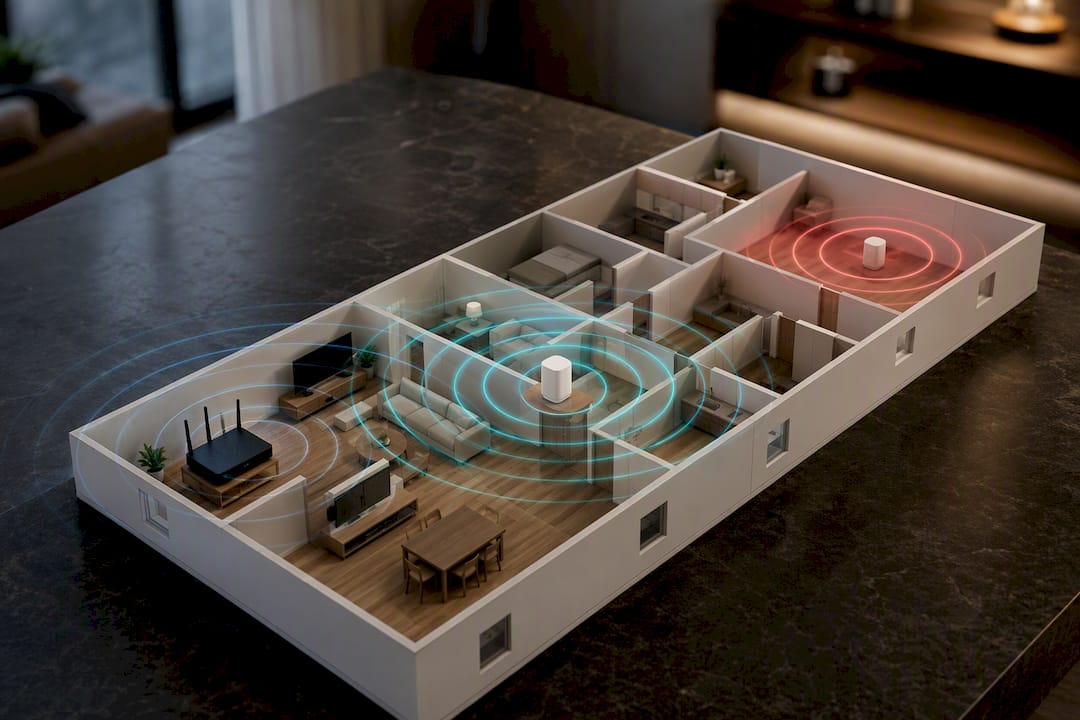
Mesh nodes follow a similar logic but with more flexibility. Space nodes so each one sits within reliable range of the next, generally one per floor or every 1,000 to 1,500 square feet, and use wired Ethernet backhaul between nodes whenever your home's wiring allows it. Keep nodes away from microwaves, baby monitors, and thick masonry walls, all of which interfere with 2.4GHz and 5GHz signals.
A short checklist before you plug anything in:
- Run a speed test at your router's location to establish your baseline.
- Identify every room where signal drops, not just the worst one.
- Choose extender or mesh based on how many weak spots you actually have.
- Place hardware at the midpoint (extender) or evenly spaced (mesh nodes).
- Use one consistent network name across your whole setup, never mixed SSIDs.
- Re-test in each previously weak room after installation.
Pro Tip: If you're testing extender placement, move it in one spot, run a speed test, then shift it a few feet and test again. Extenders are sensitive to exact positioning in ways mesh nodes usually aren't.
Cost, Scale, and Choosing the Right Option
Budget and home size should drive this decision more than brand marketing does.
Basic WiFi extenders typically run $25 to $60 and handle a single dead zone reasonably well if placed correctly. Entry-level mesh kits, usually two or three nodes, sit in the $100 to $180 range and cover a mid-size home. Mid-range and WiFi 6 mesh systems, built for larger homes or dense device counts, run $200 to $400 and often include better backhaul options and stronger radios.
Here's how that maps to actual homes:
- Single room with weak signal, budget-conscious: an extender solves this cheaply.
- Multi-story house or 2,000+ square feet: mesh is worth the extra cost.
- 10 or more connected devices (smart home, streaming, gaming): mesh handles the load better.
- Already own two or three extenders and still have dead zones: that's usually a sign to switch to mesh entirely rather than add a fourth extender.
One expectation to set correctly either way: neither extenders nor mesh systems increase the internet speed coming into your home. Both only spread your existing ISP speed across more of your house. If your plan delivers 100 Mbps, no amount of mesh hardware turns that into 300 Mbps. Check whether 200 Mbps is actually enough for your household before assuming new WiFi hardware is the fix you need.
WiFi 6 and Compatibility: What You Need to Know
WiFi 6 is worth prioritizing in homes with lots of connected devices, less so in smaller households with a handful of gadgets.
The standard's real advantage is efficiency, not raw top speed. Features like OFDMA and MU-MIMO let a WiFi 6 router or mesh node talk to multiple devices at once instead of serving them one at a time in quick succession. Wi-Fi 6 improves efficiency and multi-client handling, which matters most in device-dense homes: smart speakers, security cameras, phones, laptops, and streaming boxes all competing for airtime simultaneously.
A few compatibility notes before you upgrade:
- WiFi 6 only delivers its benefits when your client devices also support WiFi 6. An older laptop or phone won't see much difference.
- Most mesh systems require replacing your existing router entirely rather than adding onto it, since mesh nodes need to act as the primary gateway.
- Wired Ethernet backhaul or powerline adapters can rescue a mesh setup in homes with thick walls or unusual layouts where wireless backhaul struggles.
How to Measure Whether the Upgrade Actually Worked
Buying new hardware without measuring before and after is how people end up guessing whether it helped.
Run this simple sequence:
- Run a speed test standing next to your router to establish your true baseline download and upload numbers.
- Run the identical test in every room that previously had weak signal, at two or three different times of day.
- Check ping and packet loss in those same rooms, especially if gaming or video calls are the problem you're solving.
- Record the numbers somewhere, a notes app is fine, so you can compare after installing new hardware.
- Repeat the full test sequence after setup and again after any placement changes.
What counts as meaningful improvement depends on your use case. A jump from 40 Mbps to 80 Mbps in a bedroom matters a lot for 4K streaming; a ping that drops from 60ms to 20ms matters far more for competitive gaming than any speed number. A repeatable before/after testing workflow covering download, upload, latency, and packet loss is the only reliable way to know whether your extender or mesh purchase actually solved the problem, rather than just moved it.
Author Perspective: Three Rules That Cut Through the Marketing
Most of the confusion around mesh vs extender comes from treating this as a brand decision instead of a floor-plan decision. It isn't.
Rule one: if you have exactly one weak spot and a limited budget, buy the extender. A reading nook at the far end of a ranch-style house doesn't need six mesh nodes and $300 spent solving a problem that's really about one room.
Rule two: if you're dealing with multiple floors, a large square footage, or a house full of smart devices competing for bandwidth, skip the extender phase entirely and go straight to mesh. I've seen the pattern too often: someone buys one extender, it half-works, they buy a second, then a third, and by that point they've spent more than a mesh kit would have cost while ending up with a patchier, harder-to-manage network.
Rule three, and this is the one people skip: test before you buy, and test again after. A speed test takes ninety seconds and tells you whether you're actually solving a WiFi problem or an ISP problem, two issues that get lumped together far too often.
— Tomasz
Test Your Setup With Internet Analysis Diagnostics
You can use privacy-respecting online tools to confirm whether your mesh or extender upgrade actually changed anything without creating an account or handing over personal data.
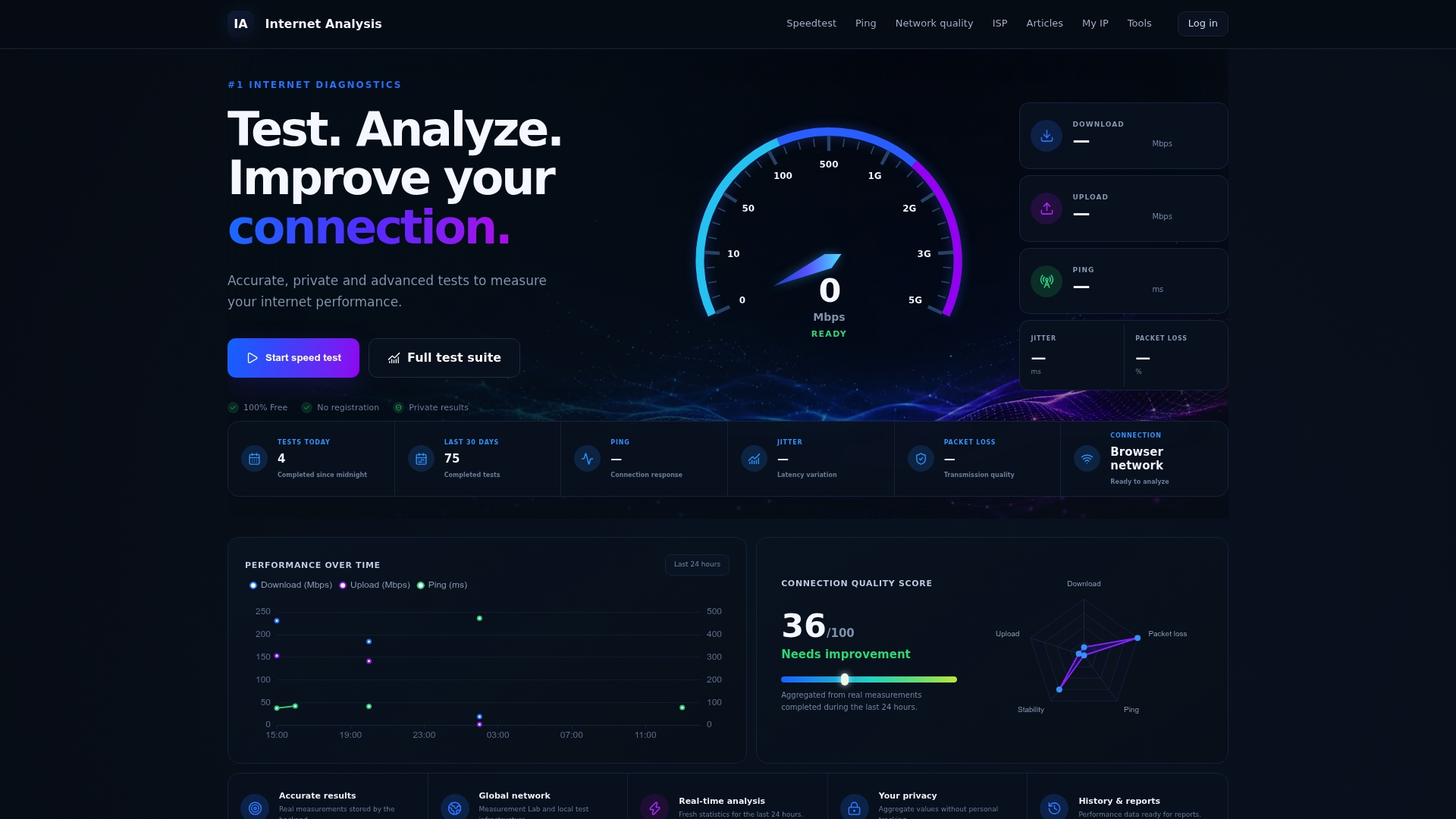
These tools measure download and upload speed, latency, packet loss, and DNS performance, the same metrics referenced throughout this guide, using real measurements aggregated across a global test network rather than estimates. Run a baseline test standing next to your router before you buy anything. Then, once your extender or mesh nodes are installed, run the same test standing in the room that used to struggle. Compare the two results side by side, and if latency or packet loss still looks rough in a gaming setup specifically, the online gaming diagnostics page breaks down what those numbers mean for match performance. Start with a free speed test to get your baseline number now, before you spend a dollar on new hardware.
Sources
For deeper technical comparisons, TP-Link's breakdown of mesh versus range extenders and CNET's hands-on testing of mesh routers against extenders cover installation and performance in more depth. For network setup basics, see this guide to configuring a reliable home network.
- Mesh Wi-Fi vs. Range Extender: Full Home Upgrade or Targeted Fix | TP-Link
- Mesh WiFi vs WiFi extenders: What's the difference? | Astound
- Mesh router or Wi‑Fi extender: Which is the wireless internet champion? | CNET
- Wi‑Fi 6 vs. Wi‑Fi 5: What's the difference? | TechTarget